
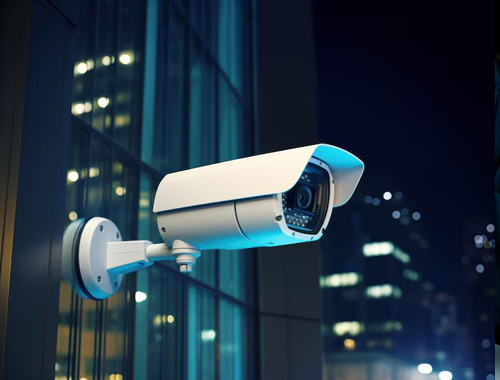
Choosing a CCTV system for your office can feel confusing – IP or HD, how many cameras, how much storage, and which brand? A wrong choice means blind spots, blurry footage or a system nobody checks. This guide from SKB IT Solutions, a CCTV installation company in Gurgaon, walks you through the decisions that matter, in plain language.
1. Start with what you need to protect
Before looking at camera models, list the areas you need to cover: main entrance, reception, cash counter, server room, storage area, parking and emergency exits. For each area, decide whether you need to identify faces (entrances, counters) or only see general activity (corridors, open work areas). Identification needs higher resolution and closer placement.
2. IP camera vs HD (analog) camera
- IP cameras send video over your network cable and record on an NVR. They offer higher resolution (4MP, 5MP, 4K), better night vision, smart motion detection and easy expansion. Best for new installations.
- HD analog cameras use coaxial cable and a DVR. They are budget-friendly and ideal when you are upgrading an older system and want to reuse existing wiring.
- WiFi cameras are quick to install where running cable is difficult, but depend on good WiFi coverage. Use them for small spaces, not as the backbone of an office system.
3. How many cameras does an office need?
A small office of 1,000–1,500 sq ft usually needs 4 to 6 cameras: entrance, reception, main work area, and any cabin or store room. Larger offices and factories need more, especially for long corridors, parking and loading areas. The best way to get an accurate count is a quick site survey, where an engineer checks angles, lighting and blind spots.
4. Resolution and lens
For most offices, 2MP (Full HD) is the minimum and 4MP is a good balance of clarity and storage. Choose a wider lens (2.8mm) for rooms and a narrower lens (4mm–6mm) for doors and counters where you need detail at a distance. Varifocal cameras let you adjust the view after installation.
5. Night vision and lighting
Check the infrared (IR) range of each camera against the distance it needs to cover after dark. For outdoor areas and parking, colour night-vision cameras give much more useful footage than black-and-white IR.
6. Storage: how many days of recording?
Most businesses keep 15 to 30 days of footage. Storage depends on the number of cameras, resolution and whether recording is continuous or motion-based. Use surveillance-grade hard disks, which are built for 24/7 recording, and keep the NVR/DVR in a locked, ventilated place.
7. Mobile viewing and alerts
Modern systems let you watch live and recorded video on your phone and get alerts when motion is detected after hours. Ask your installer to set up the app for owners and managers, with separate user rights.
8. Power backup and network
A CCTV system is only useful if it keeps recording during power cuts. Connect the NVR/DVR and PoE switch to a UPS. For IP cameras, use a proper PoE switch and, ideally, a separate VLAN on your office network so video traffic does not slow down your internet.
9. Don’t forget maintenance
Cameras get dusty, cables loosen and hard disks fail. A simple maintenance check every few months – cleaning lenses, checking recordings and updating firmware – avoids the classic situation where footage is missing exactly when you need it. An AMC takes care of this for you.
Quick checklist
- List areas to cover and what you need to see in each
- Choose IP for new setups, HD for upgrades on existing wiring
- Minimum 2MP, ideally 4MP at entrances and counters
- Plan 15–30 days of storage on surveillance-grade disks
- Add UPS backup and mobile viewing
- Schedule regular maintenance
Need help planning CCTV for your office in Gurgaon or Delhi NCR? Contact SKB IT Solutions or call/WhatsApp +91-9717575348. We also install biometric and access control systems for complete office security.